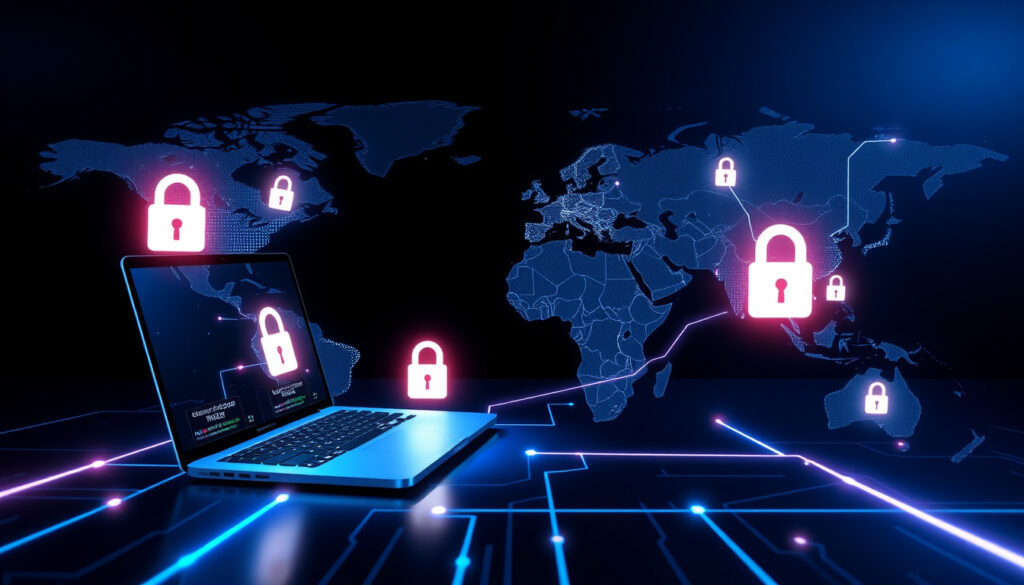
What Is a VPN – How It Works Costs and Setup Guide
A Virtual Private Network, commonly known as a VPN, is a service that creates an encrypted connection between your device and a remote server over the internet. It hides your IP address and secures your online traffic, making it harder for third parties to monitor your activity. While the concept sounds technical, using a VPN on a computer, phone, or tablet has become a straightforward way to improve privacy and security online.
The need for VPNs has grown as internet tracking, data collection, and cyber threats have become more common. Whether you are connecting to public Wi-Fi at a coffee shop or trying to access a website that is blocked in your region, a VPN provides a practical layer of protection. Below, we break down exactly what a VPN is, how it operates, what it costs, and how to manage it on your devices.
What Is a VPN and How Does It Work?
A Virtual Private Network creates an encrypted tunnel between your device and a remote server, hiding your IP address and securing your online traffic.
Download a VPN app from your device’s app store, install it, log in, and tap the connect button. Available for both iPhone and Android.
Free VPNs exist but often have limitations. Paid VPNs typically range from $2 to $12 per month depending on features and subscription length.
Go to your device’s Settings > VPN (or open the VPN app) and toggle the connection off. On iPhone, use Settings > General > VPN & Device Management.
A VPN works through a multi-step process. First, your device connects to a VPN server and authenticates. Next, all outgoing data is encrypted using strong protocols like AES-256. This encrypted data is then placed inside a secure tunnel and sent to the server, which assigns you a shared VPN IP address. The server decrypts the data, sends it to its destination, receives the response, encrypts it again, and sends it back to your device for decryption. This process ensures that your internet service provider (ISP) sees only encrypted traffic to the VPN server, not the actual websites you visit.
- Privacy protection – Hides your IP address from websites and stops ISPs from logging your browsing history.
- Security on public Wi-Fi – Encrypts your data, making it unreadable to hackers on open networks.
- Bypassing geo-restrictions – Allows access to content that is blocked in certain countries or regions.
- Remote access – Enables secure connections to work or home networks from anywhere.
- Avoiding throttling – Prevents ISPs from deliberately slowing down your connection based on activity like streaming or gaming.
- Secure streaming and torrenting – Keeps your online activities private while using services that may attract monitoring.
| Fact | Value |
|---|---|
| Full form | Virtual Private Network |
| Primary function | Encrypts internet traffic and hides IP address |
| Common protocols | OpenVPN, WireGuard, IKEv2/IPsec |
| Typical monthly cost | $2 – $12 (paid); free options exist with limitations |
| Device support | Windows, macOS, Android, iOS, Linux, routers |
| Legal status | Legal in most countries, but restricted in some (e.g., China, Russia, UAE) |
What Is a VPN Used For?
People use VPNs for a variety of reasons that fall into three main categories: privacy, security, and access. VPNs prevent ISPs from tracking your online movements and selling that data to advertisers. They also protect against cyberattacks on unsecured public networks, such as those found in airports, hotels, and cafes. Additionally, VPNs allow users to bypass censorship and access geo-blocked content from services like Netflix, Hulu, and BBC iPlayer.
Microsoft Azure defines a VPN as a technology that connects on-premises infrastructure with public cloud services, highlighting its role in corporate settings. For personal users, the most common real-world applications include traveling to a different country and logging into home banking, or shopping online while connected to a shared network. Proton VPN and ExpressVPN both emphasize that VPNs stop data profiling and unauthorized monitoring.
VPNs encrypt internet data only — traffic sent over Wi-Fi or cellular networks. They do not encrypt standard voice calls or SMS messages, which travel through separate channels.
How to Use a VPN on Different Devices (iPhone, Android, Computer)
What Is a VPN on iPhone?
On an iPhone, a VPN can be set up through the built-in VPN settings (available since iOS 15) or by installing a third-party app from the App Store. Apps from providers like ExpressVPN or Proton VPN offer one-tap connections. Apple also offers iCloud+ Private Relay, which hides your IP address but does not route all traffic through a VPN tunnel. As noted in Apple discussions, iPhone data is already end-to-end encrypted in many cases, so a VPN adds an extra layer of privacy rather than security, though it also introduces a reliance on the VPN provider as an intermediary.
What Is VPN in Android?
Android devices have native VPN support in system settings. Users can install a VPN app from Google Play, log in, and connect with a single tap. The process is the same as on other platforms: the app creates an encrypted tunnel and routes traffic through a remote server. Android users can also configure manual VPN connections using server addresses and credentials provided by their VPN service.
VPN on a Computer
On Windows, macOS, or Linux, desktop VPN applications handle the entire process. Users download the provider’s app, authenticate, and select a server location. The app then creates a secure tunnel that encrypts all outgoing traffic. All major platforms support the same core process, making cross-device use relatively simple.
Most modern VPN apps are designed for beginners. After installation, the typical steps are: open the app, log in, and press the connect button. No advanced configuration is required for standard use.
How Much Does a VPN Cost?
VPN pricing varies widely depending on the provider and subscription length. Free VPNs exist but usually come with significant trade-offs. Paid services typically range from $3 to $13 per month, with annual plans often bringing the cost down to $5 to $8 per month. Promotions on annual plans can offer discounts of up to 76% as noted in Cybernews reviews. Factors that influence price include the number of server locations, connection speed, encryption quality, and additional features like kill switches or malware blockers.
Most paid VPNs offer a 30-day money-back guarantee, allowing users to test the service without risk. Proton VPN is notable for offering a genuinely free tier that is ad-free and without data caps, funded by its paid subscribers. However, the free version provides access to fewer servers and slower speeds.
| Aspect | Free VPNs | Paid VPNs (e.g., ExpressVPN, Proton VPN, NordVPN) |
|---|---|---|
| Privacy | Often log/sell data, inject ads | Strict no-logs policies, audited (Proton VPN open-source apps) |
| Speed | Crowded servers = slow | Optimized servers for fast speeds |
| Security | Weak encryption, vulnerabilities | Industry-leading encryption, kill switches, malware blockers |
| Limits | Data caps, few servers, ads | Unlimited data, global servers, 24/7 support |
| Trust | Risk of selling data (e.g., Avast scandal) | Independent audits, no incentives to compromise |
Many free VPNs log and sell user data or inject advertisements. Only a few trustworthy free options exist, such as Proton VPN Free. Always review a provider’s privacy policy before use.
How Do I Turn Off a VPN?
Disabling a VPN is straightforward but the exact steps depend on your device. When you turn off a VPN, your internet traffic returns to its normal, unencrypted state, and your real IP address becomes visible again. This can be important for accessing local services or restoring full internet speed.
- VPN App: Most apps have a one-tap disconnect button. Some apps include a kill switch that blocks internet traffic if the VPN disconnects unexpectedly, preventing data leaks.
- iPhone: Go to Settings > General > VPN & Device Management, then toggle the VPN connection off.
- Android: Go to Settings > Network & Internet > VPN, then tap the connected VPN and select Disconnect.
- Computer: On Windows or macOS, disconnect via the app menu or system tray icon. Right-click the VPN icon and select “Disconnect” or “Quit.”
Timeline of VPN Evolution
VPN technology has evolved significantly over three decades, moving from enterprise tool to everyday consumer product.
- 1996 – Microsoft develops the first VPN protocol, PPTP (Point-to-Point Tunneling Protocol).
- 2000s – IPsec and SSL VPNs become widely adopted for enterprise remote access, allowing employees to connect securely to corporate networks.
- 2010s – Consumer VPN usage surges due to growing privacy concerns and the rise of streaming services that enforce geo-blocking. Providers expand offerings for personal devices.
- 2020s – VPN adoption becomes mainstream. The WireGuard protocol gains significant traction for its combination of speed and strong security, replacing older protocols in many modern services.
VPN Myths and Facts: What Is Clear, What Is Not
| Established Information | Information That Remains Unclear |
|---|---|
| A VPN hides your IP address from websites and ISPs. | Websites can still track you via cookies, browser fingerprinting, or login credentials. |
| Encryption and routing through a remote server adds latency, typically causing a 10-30% speed loss. | Premium VPNs with modern protocols like WireGuard minimize this slowdown, but exact performance varies by provider and location. |
| Modern VPN apps are user-friendly and designed for beginners. | Not all free VPNs are unsafe, but most free services have business models that conflict with user privacy. |
| VPNs are legal in most countries for personal use. | Some countries, including China, Russia, and the UAE, restrict or ban non-approved VPN services. |
Why VPNs Matter in 2025
In the current digital environment, internet privacy regulations like GDPR in Europe and CCPA in California have given users more control over their data, but they do not prevent ISPs from tracking browsing habits. VPNs complement these regulations by encrypting traffic directly, making it harder for companies to build profiles based on browsing history. The rise of data caps has also led some ISPs to throttle certain types of traffic, such as streaming or gaming. VPNs can bypass this throttling by hiding the nature of the traffic.
For streaming services, geo-restrictions remain a major reason people use VPNs. However, streaming platforms actively block known VPN server IP addresses, creating a constant back-and-forth between providers and services. Corporate VPN use differs from personal use in that it typically requires more complex configuration, including site-to-site tunnels and multi-factor authentication, whereas personal VPNs prioritize simplicity and ease of use.
Quotes from Trusted Sources
“A VPN creates an encrypted tunnel for your data, protecting your online identity by hiding your IP address.”
NordVPN
“A virtual private network (VPN) is an overlay network that uses network virtualization to extend a private network across a public network.”
Wikipedia
“A VPN (virtual private network) is a networking and security technology that connects on-premises infrastructure with public cloud services.”
Microsoft Azure
What Should You Do Next?
If you are new to VPNs, begin by trying a free trial of a reputable paid service such as Proton VPN or Mullvad to test speed and ease of use. If you need a VPN primarily for streaming, research providers that maintain servers capable of unblocking specific platforms like Netflix or BBC iPlayer. For those focused on privacy above all else, choose a VPN with a verified no-logs policy and independent audits. For detailed comparisons of different services, see our What is a VPN? Comprehensive Guide.
Frequently Asked Questions
What is a VPN in computer?
On a computer, a VPN is software or a system setting that encrypts all outgoing internet traffic and routes it through a remote server. It hides your IP address from websites and secures data on public Wi-Fi.
Is a VPN legal?
VPNs are legal in most countries. However, some nations including China, Russia, the United Arab Emirates, and Belarus restrict or ban VPN use. Always check local laws before using a VPN.
Can a VPN be tracked?
Your ISP can see that you are connected to a VPN server, but they cannot see the content of your traffic. Some governments may detect VPN usage via deep packet inspection, but they cannot decrypt the data without the provider’s keys.
Do I need a VPN at home?
It is not strictly necessary, but a VPN at home adds an extra layer of privacy from your ISP and protects devices on your network if you use public DNS or have untrusted devices connected.
What is the difference between a free and paid VPN?
Free VPNs often have data caps, slower speeds, limited server selection, and may log or sell your data. Paid VPNs offer faster speeds, more locations, better encryption, and verifiable no-logs policies. For serious privacy, choose a paid service.
What does a VPN do for online privacy?
A VPN masks your real IP address and encrypts your internet traffic. This prevents your ISP, advertisers, and websites from seeing which sites you visit or what you do online.
How much does a VPN cost per year?
Annual plans for reputable paid VPNs typically cost between $30 and $100 per year, depending on the provider and features. Many offer discounts for longer commitments.
Can a VPN be hacked?
While the encryption itself is extremely strong, the VPN provider itself can be a weak point. If a provider is compromised or logs data, your privacy may be at risk. Choosing a provider with audited no-logs policies reduces this risk.
More related posts
 Kung Fu Panda 3 – Plot, Villain and Streaming Guide
 Zach Bryan – Biography, Tour Dates 2025-2026, and New Album
 Engine Oil for My Car – UK Guide by Registration
 Lewis Goodall – Biography, Age, Career, and Personal Life
 Harry Potter and the Cursed Child Movie – Status Rumors and Facts
 PayPal Pay in 3 – Complete UK Guide for 2025
 Olivia and Jackson MAFS – Still Together After 2022 Breakup?
 Final Destination Bloodlines – Release Date, Cast, Plot Details
